
Access & operations
From the first scan to closing.
Tikiti Ops runs the ground: gates, badges, teams and live supervision, even without network.
- Android phone
- Several gates
- Works offline
- Live supervision
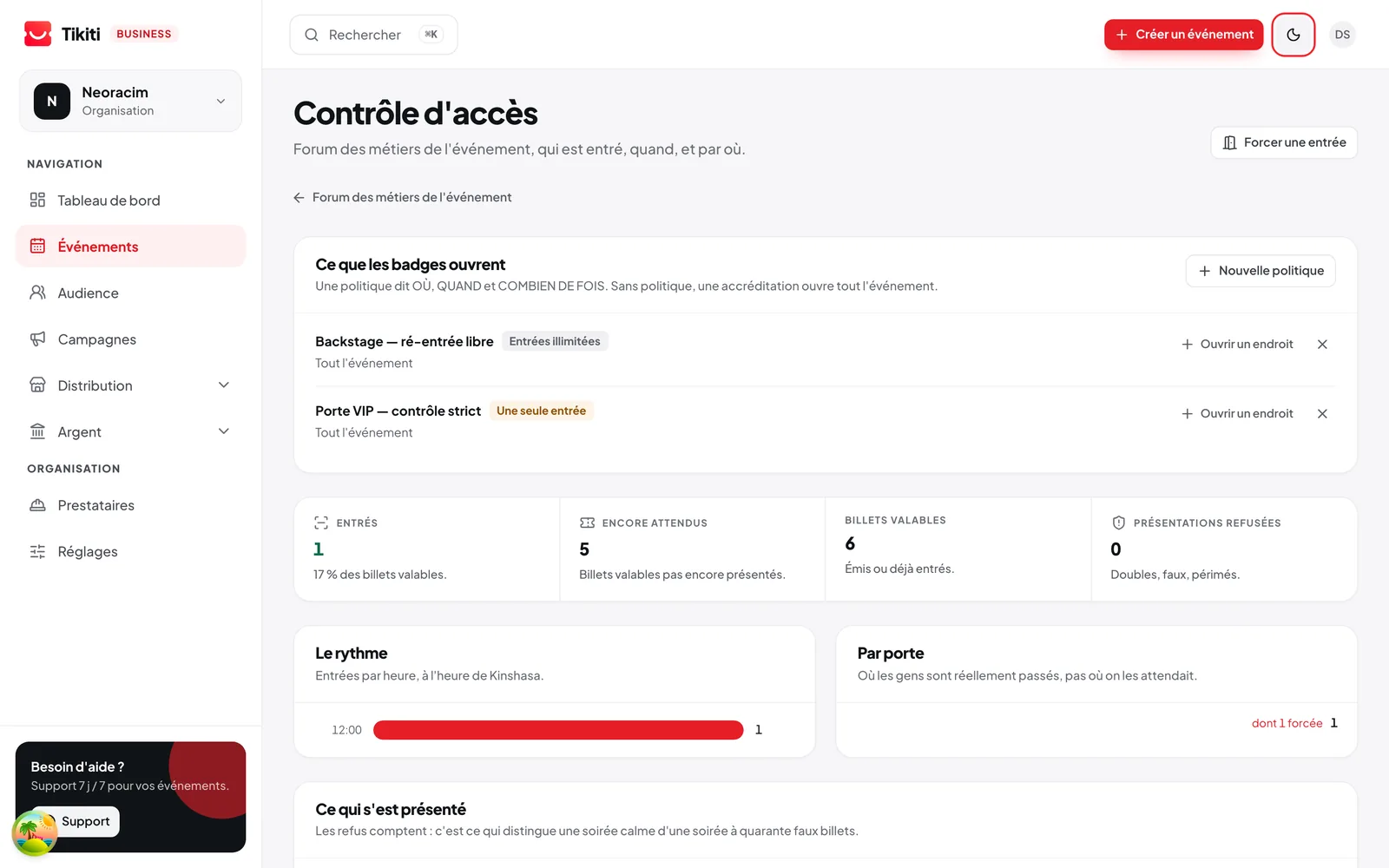
One scanner for every access
One tool. Several ways in.
Tikiti Ops doesn't just read a code: it checks what that code stands for.
Digital tickets
The attendee shows their QR from their phone.
Physical tickets
The agent checks the paper coupon activated at the sale.
Invitations
The guest shows their named invitation, digital or printed.
Badges
The agent checks the identity, the category and the allowed zones.
Accreditations
The rights of staff, press, partners or suppliers are immediately visible.
Identifiable wristbands
When they carry a compatible identifier, they tie to an attendee or an access category.
What happens on the day
- 01
Universal scanner
Digital pass, paper ticket, badge or wristband: one tool reads them all.
- 02
Offline mode
The gates keep scanning without network, then sync.
- 03
Badges and accreditations
Printed on site or in advance, access level encoded, restricted zones.
- 04
Seating plan
The agent finds the recorded seat at the scan and has what it takes to direct the attendee.
- 05
Teams and roles
Who scans at which gate, with which rights. Full log of entries.
- 06
Live supervision
Entry flow per gate in real time, to open one more lane at the right moment.
Prepare the ground before opening
When the doors open, every agent already knows what they can validate.
Gates, accepted credentials and teams are set in Tikiti Business, before the first attendee.
| Control point | Credentials accepted | Agents |
|---|---|---|
| Main gate | Standard, Premium | 6 |
| VIP entrance | VIP, Partners | 3 |
| Press desk | Press, Speakers | 2 |
| Backstage | Staff, Artists | 2 |
Demo operations plan. Every event defines its own gates and categories.
The cases that fall outside the script
One problem at the door must not block a whole queue.
Flat battery, unreadable QR, unconfirmed invitation: the team has an assistance flow.
- 1Scan or searchBy QR, by name or by phone number.
- 2Identify the problemThe screen says what is blocking, not just that something is.
- 3Show the allowed actionBased on the agent's rights and the event's rules.
- 4Resolve or redirectOn the spot, or towards an assistance desk and a supervisor.
- 5Keep the trailThe decision stays in the log of interventions.

A queue moves when the agent knows what to do with the exception.
The agent sees at once what to do.
After the scan, the screen shows only what helps decide, large enough to read in bright light and noise.
- Access granted
- Already used
- Wrong zone
- Ticket not activated
- Accreditation expired
- Access refused
Supervise without standing at every gate
See the ground from a single screen.
The flow is measured gate by gate, and corrected while there is still time.
- Attendees expected
- Attendees present
- Entries per minute
- Activity per gate
- Agents connected
- Devices offline
- Credentials refused
- Double uses detected
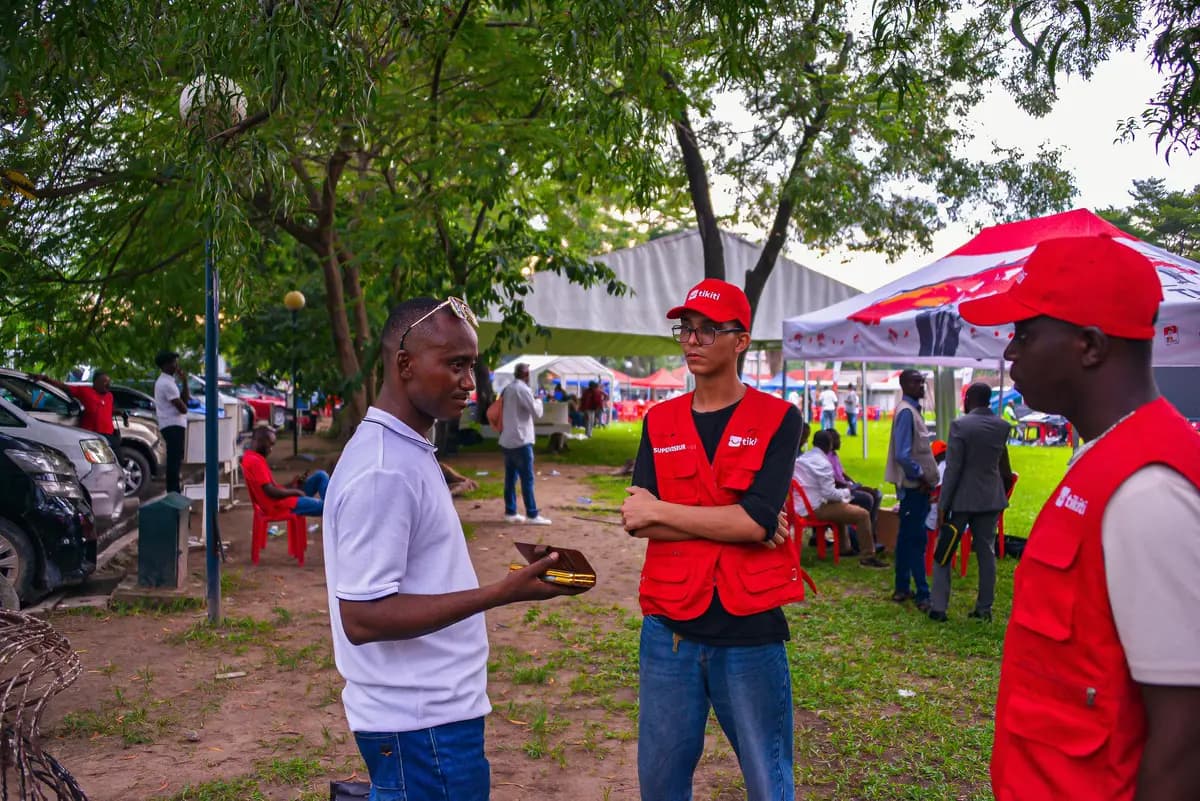
Stop discovering the bottleneck once the queue is already out of hand.
Before
Printed lists, a growing queue and no visibility on what is happening at the other gates.
With Tikiti
An entry flow measured gate by gate, and an attendance report available as soon as the doors close.
Frequently asked questions
What happens if the network drops during the event?
The scanner switches to offline mode and keeps validating passes from the data already downloaded. Scans sync as soon as the connection comes back.
How are double scans detected?
A pass already used is refused, with the time and gate of the first entry. In offline mode, conflicts are flagged at sync.
Do I need specific hardware?
A recent smartphone is enough to scan. For badges printed on site you need a compatible printer: Tikiti Supplies offers them for purchase or rental.
Can I run several gates and several zones?
Yes. Each gate has its account and rights, and a pass can be allowed in some zones only. Supervision shows the flow per gate in real time.
What about someone at the door with no ticket?
A sale on the spot can be opened from Tikiti Ops, paid by Mobile Money, and the pass is issued immediately.
Keep reading
For which events
- Concerts & festivalsBring the audience, the sales channels, the teams and the gates into one festival.Discover
- Trade shows & exhibitionsVisitors, exhibitors, stands, badges, sessions and meetings in one show.Discover
- Companies & institutionsGuests, protocol, accreditation, teams and reports in one environment.Discover