
Invitations & RSVP
Invite properly, track the replies.
From the guest list to the table plan, through reminders and control at the door.
- Named invitations
- RSVP and companions
- Targeted reminders
- Check-in at the door
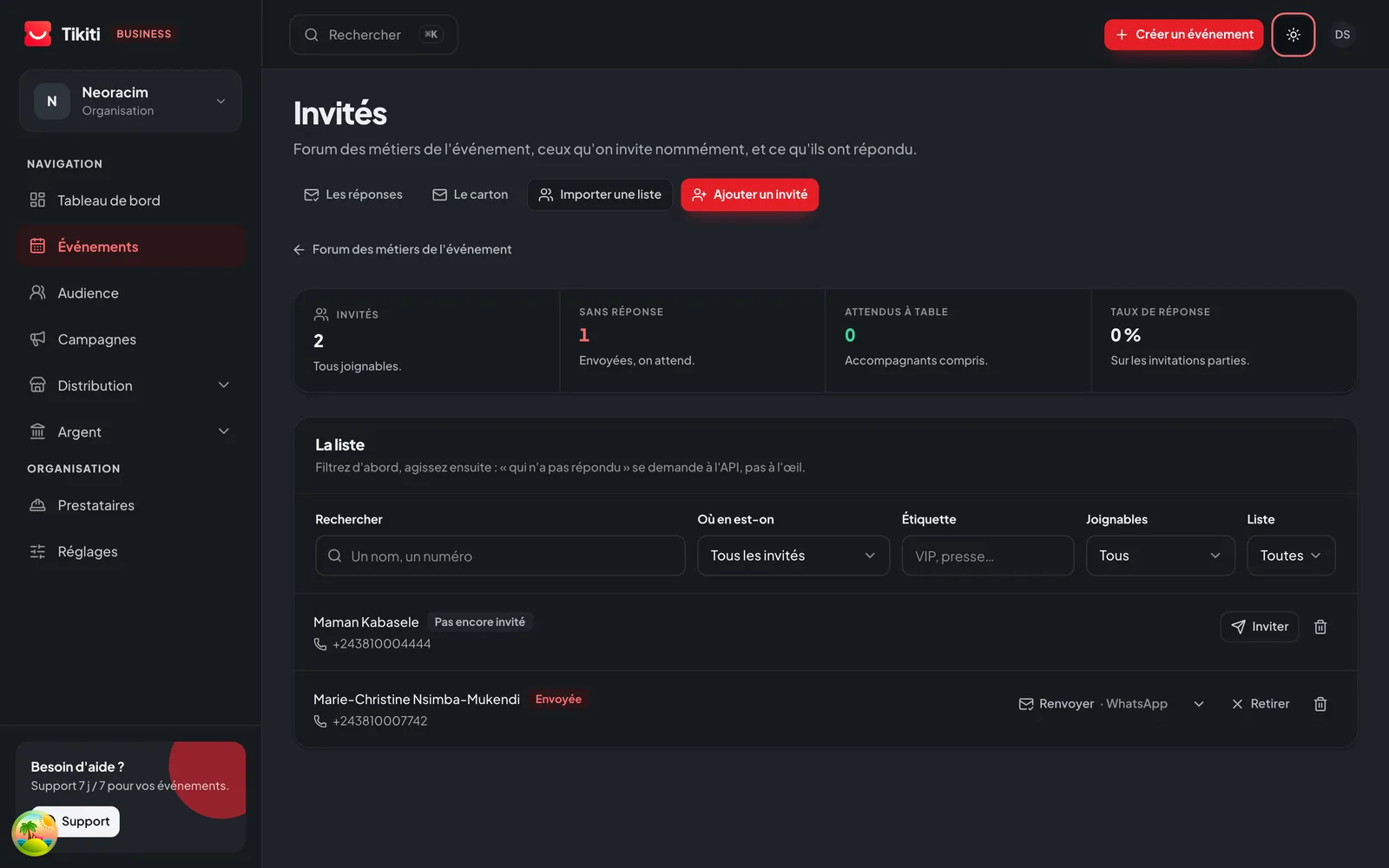
Wherever every guest counts
An invitation doesn't only announce. It prepares the welcome.
A wedding, a general meeting, a launch or an official ceremony don't invite the same way.
Wedding or ceremony
Personalised invitations, companions, confirmations and seating.
Company
Invitations for staff, partners, clients and executives.
Conference
Speakers, attendees, press and special guests.
Institution
Protocol categories, delegations, dignitaries and access levels.
Private event
A closed list, named invitations and discreet control at the door.
VIP area
Special guests, allowed companions and access to particular zones.
What you manage
- 01
List import
Reuse your existing file: names, organisations, protocol categories.
- 02
Invitation designer
An invitation in your image, sent by email, SMS or WhatsApp, with a printable version carrying the same QR.
- 03
Controlled plus-ones
Allow one companion, several, or none, guest by guest.
- 04
Live statuses
Confirmed, pending, declined. Automatic reminders based on status.
- 05
Tables and seating
Named assignment, floor plan, printed table numbers.
- 06
QR at the door
Every guest has their QR, whether it arrived by email or on a paper invitation.
The guest's journey
Confirming should take a few seconds, no more.
The guest opens their personal link and replies from their phone, with no account and no app.
- 1They open their invitationA personal link, received by email, SMS or WhatsApp.
- 2They replyComing, or not. Their answer lands in your list immediately.
- 3They add their companionsWithin the limit you set for them.
- 4They fill in what you askDietary needs, organisation, role: what you need, nothing more.
- 5They get their confirmationWith their QR, valid on the printed invitation too.

The simpler the reply, the more reliable your list becomes.
You know where each invitation stands.
An invitation sent is not an invitation read, and an invitation read is not a reply.
- Ready
- Scheduled
- Sent
- Delivered
- Opened
- Reply received
- Delivery failed
Your replies, live
Know who is coming before you open the doors.
Replies become usable information, not a conversation to read back through.
- Invitations created
- Invitations sent
- Open rate
- Attendance confirmed
- Replies pending
- Declines
- Companions expected
- Guests already arrived
Stop discovering your real guest count once the room is already laid out.
Before
Replies scattered across WhatsApp, email and phone calls, and a table plan redone three times.
With Tikiti
A single list, up-to-date replies, and door control that matches that plan exactly.
Frequently asked questions
Can I reuse my existing guest list?
Yes. You import your file with names, organisations and categories. Duplicates are flagged before sending.
How are invitations sent?
By email, SMS or WhatsApp, depending on what you have for each guest. The same invitation can also be printed: the QR stays identical.
Can a guest change their reply?
Yes, until the deadline you set. Every change is timestamped and visible in the tracking.
How do I handle companions?
You allow zero, one or several companions guest by guest. The guest enters the names, and each companion gets their own QR.
Is the table plan linked to door control?
Yes. At the scan, the agent immediately sees the assigned table, so nobody searches a paper list at reception.
Keep reading
For which events
- Weddings & private eventsInvitations, replies, companions, seating and welcome, without losing the celebration.Discover
- Companies & institutionsGuests, protocol, accreditation, teams and reports in one environment.Discover
- Conferences & trainingFrom the first registration to the certificate, one complete attendee journey.Discover